CS2 Audio: Muffled Sound, Silence and Mic Fixes
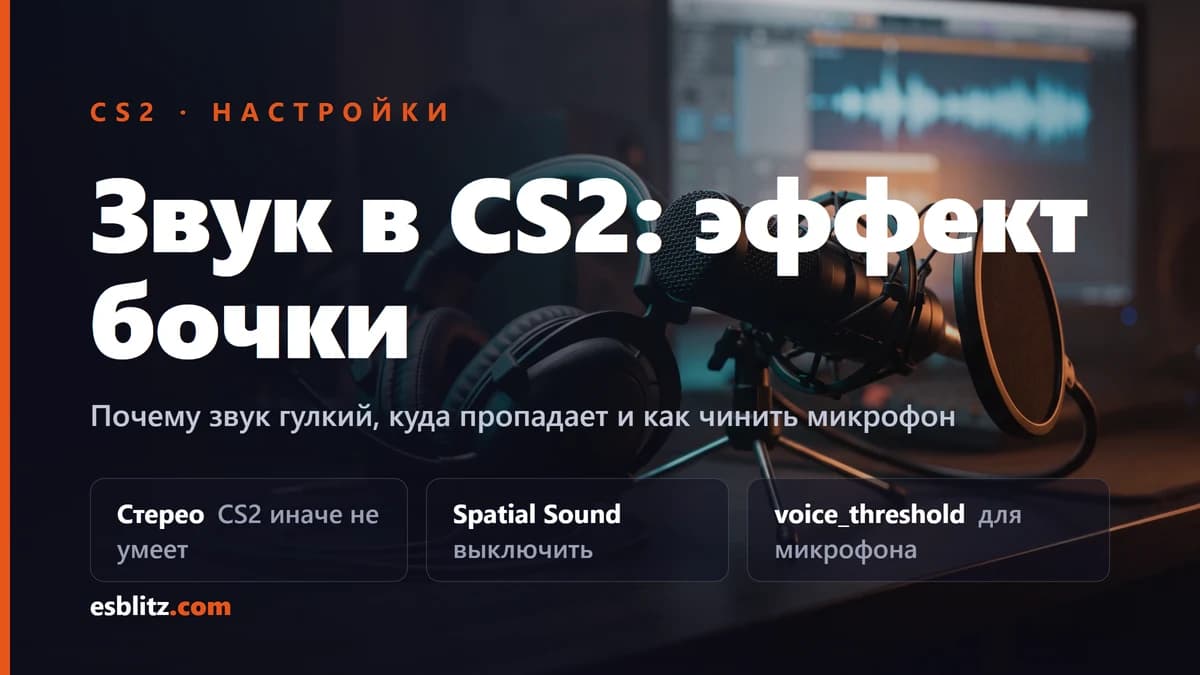
Why CS2 sound goes muffled, where it disappears to, and what to do when the mic stops working. Settings and commands verified in 2026.
Audio in CS2 is half the game: footsteps, a reload behind a wall, the direction of a shot. When it sounds muffled, drops out entirely or your mic refuses to transmit, what suffers is not comfort but results. Here are the causes in order, with working settings and none of the commands Valve removed long ago.
The key fact: CS2 outputs stereo only
This explains most of the topic. Unlike CS:GO, CS2 does not deliver true 5.1 or 7.1: output is built around stereo with HRTF processing for headphones. Valve has published no formal statement on it, but players on the Steam forums have converged on this since 2023 and practice backs it up. Anyone leaving surround or fake surround enabled ends up with muffled audio.
That is where the complaints about echo and cotton wool in the ears come from. Any layer on top of a stereo stream, whether Windows Sonic, Dolby Atmos for Headphones, DTS Headphone:X or the "7.1" in your headset software, processes audio that has already been folded into two channels and ruins it.
How to fix CS2 audio sounds muffled
In order:
- Turn off Windows Spatial Sound. Right click the volume icon, open Sound settings, then your device properties, then set Spatial sound to Off. Dolby Atmos and DTS belong here too if installed.
- Turn off Audio Enhancements. In the playback device properties, clear the processing boxes: equalizers, "virtual surround", loudness normalisation.
- Turn off software surround in your headset app. Logitech G HUB, SteelSeries GG, Razer Synapse and friends all offer virtual 7.1, and it is better off while you play.
- Check the in-game setting. Settings, then Audio, then the output configuration: pick the stereo headphones mode rather than speakers or any surround option.
After that the audio turns dry and directional, which is exactly what you need to place footsteps.
No sound in CS2 or audio gone quiet
Before touching CS2 audio settings, rule out Windows: the game only plays what the system hands it.
Common causes, simplest first:
- The default device changed. Windows likes switching output when a USB headset reconnects. Make sure the right device is set as both Default Device and Default Communication Device.
- Audio mutes when you tab out. That is
snd_mute_losefocus, set to 1 by default. Usesnd_mute_losefocus 0if you want to hear CS2 in the background. - Another app holds the device exclusively. In device properties, clear "Allow applications to take exclusive control of this device" if sound dies when the game starts.
- Drivers. Updating the audio driver fixes a share of the silence cases that follow Windows updates.
If the game itself drops along with the sound, that is a different story: crash causes are in how to fix CS2 crashes, and framerate dips in our FPS guide.
One more thing: players report that Windows master volume drops on every CS2 launch. These are isolated forum reports with no official confirmation, but if you see it, you are not alone.
CS2 audio not working: the mic
Three things on the Windows side first:
- Permissions. Settings, Privacy, Microphone: access must be enabled both for apps and separately for desktop apps, otherwise Steam and CS2 get nothing.
- Input device. Your mic has to be the default device under Recording.
- Level check. The same panel shows whether the indicator reacts to your voice. If it does not, the problem is not in the game at all.
If Windows hears you but the game does not, the activation threshold is the usual culprit. On some headsets a CS2 update reset voice_threshold to a nonsensical value and the mic stopped opening. The scale is positive and defaults to around 4000: the lower the number, the more sensitive the mic. Start low:
voice_threshold 300You can test yourself with loopback. Turn it on, say a line, turn it off:
voice_loopback 1Push to talk uses the stock command (example on V):
bind "v" "+voicerecord"How to keep this in a config so it survives a restart is covered in CS2 binds and config, along with the open Valve bug about settings not saving.
Mic works in Discord but not in CS2
The most common case: Windows and other apps hear the microphone, the game does not. That means the device is fine, so check three places:
- Input device in the game. CS2 takes the Windows default. If Discord uses your headset while the system default is a webcam, the game listens to the webcam.
- Activation threshold. Discord opens the mic on its own sensitivity, CS2 uses
voice_threshold. With the threshold set too high, a quiet mic never opens the channel. - Exclusive access. If Discord grabbed the device in exclusive mode, the game may not get in. Clear the exclusive mode checkbox in the microphone properties.
All of it takes a minute to check with voice_loopback 1. If you can hear yourself, the mic works in game and the problem was volume or threshold.
CS2 audio settings via console
These are verified and persist in the config:
snd_gamevolume: overall game volume;snd_voipvolume: how loud other players sound in voice chat;snd_gamevoicevolume: in-game voice over and announcements, not player voice chat;snd_mute_losefocus: whether audio mutes when the window loses focus;voice_threshold: microphone activation threshold;voice_loopback: hear yourself for testing;snd_mixahead: audio buffer size, affects latency. Tune it by ear, there is no single correct value.
What no longer works from old advice
CS:GO era guides hand out commands CS2 no longer has:
voice_scale: the command does not exist in CS2 at all, voice volume issnd_voipvolumeor the settings slider;snd_headphone_pan_exponent,snd_front_headphone_position,snd_rear_headphone_position: still in the code but flagged development only, so the retail console rejects them. Panning lives in the menu sliders;snd_mix_async: flagged as development only, so it is out of reach for regular players.
If you spot these in someone's 2023 config, just delete the lines. They do nothing.
Frequently Asked Questions
Why does CS2 sound muffled?
The game is built around stereo with HRTF for headphones and does not deliver true surround. Any processing layered on top, such as Windows Sonic, Dolby Atmos or headset virtual 7.1, produces muffled and hollow audio. Turn them off and the effect goes away.
How do I test my mic in CS2 without joining a match?
Enable voice_loopback 1, say a line and you will hear yourself. Remember to turn it back off with voice_loopback 0.
Does voice_scale still work in CS2?
No, the command does not exist in CS2 at all. It is a CS:GO leftover, and voice volume is handled by snd_voipvolume or the settings slider.
Why does audio stop when I tab out?
That is intended behaviour, controlled by snd_mute_losefocus which defaults to 1. Set snd_mute_losefocus 0 to keep hearing the game in the background.
Sources
- Steam forum thread on muffled audio, community breakdown of CS2 stereo output, September 2023
- CS2 Microphone not working issue [SOLVED], the case of a reset voice_threshold
Big CS2 news, first on our Telegram
Patches, tournaments, pro settings. No fluff.