CS2 Skin Tiers, Float and What Pros Own
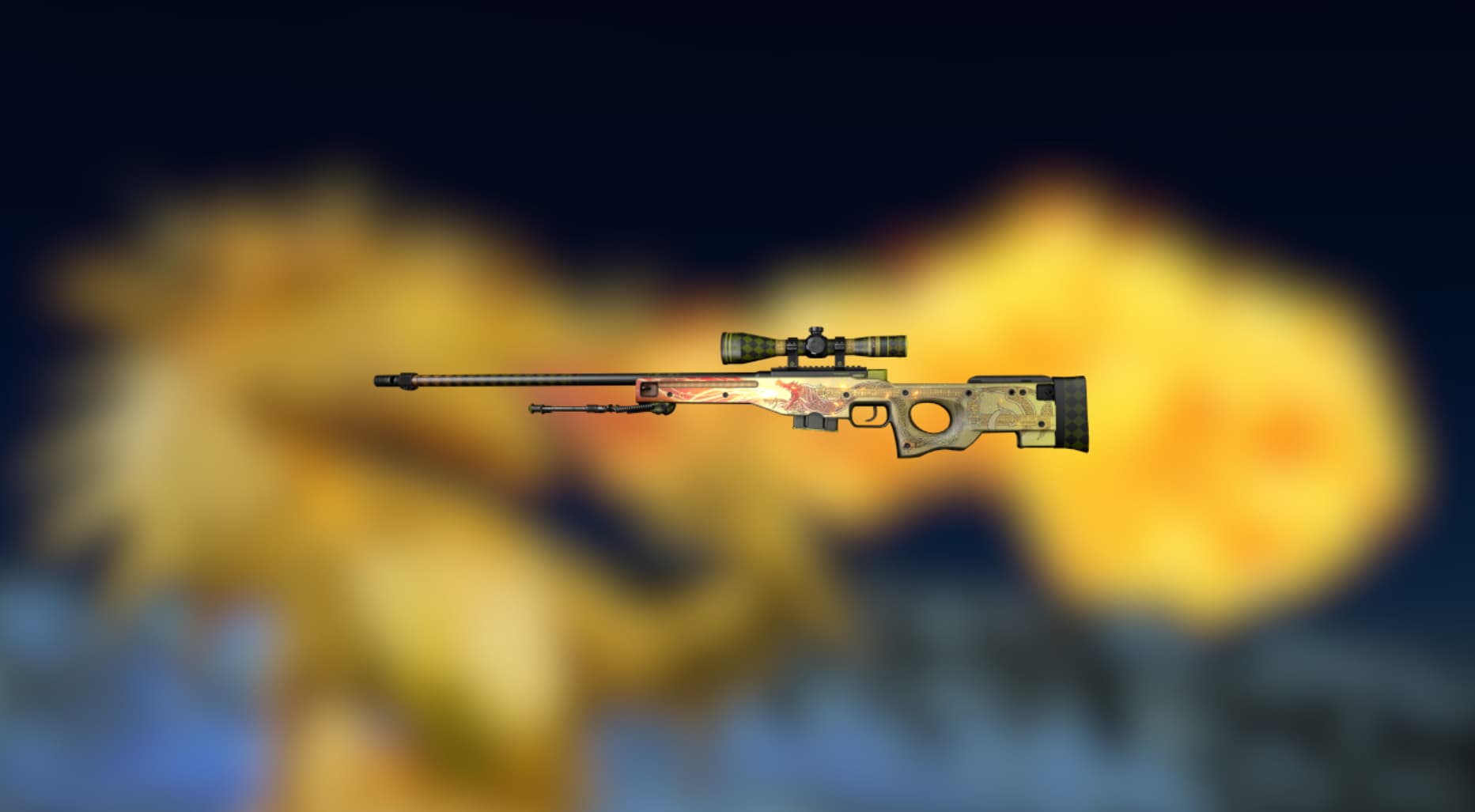
How rarity tiers and float actually work, why the AWP Asiimov never comes in Factory New, and where those tables of "277 pros" come from.
Search for what skins pros use and you get tables: this AK-47 is "used by 277 professionals". Nobody can verify those numbers, because no service tracks skin usage across the pro scene. What follows is what can actually be checked: how rarity tiers and float work, why some skins never come in Factory New, and where inventory data comes from in the first place.
Float and wear: what the number means
Every copy carries a float, a value between 0 and 1 that sets how worn it looks. The wear category follows from it, and the boundaries are fixed:
| Wear | Float |
|---|---|
| Factory New | 0.00 - 0.07 |
| Minimal Wear | 0.07 - 0.15 |
| Field-Tested | 0.15 - 0.38 |
| Well-Worn | 0.38 - 0.45 |
| Battle-Scarred | 0.45 - 1.00 |
Some skins have a restricted float range, known as a float cap, so Factory New does not exist for them at all. The AWP Asiimov starts its scale at 0.18, so Field-Tested is the best condition it can reach. That is a property of the skin rather than a flaw in one listing.
Copies inside one category are not equal either. Float 0.16 and float 0.37 are both Field-Tested and they do not look the same, especially on models where the pattern runs through the worn areas. It shows up in what people ask for them, too: the closer a float sits to the edge of its range, the more listings differ. Pattern is a separate story. On skins like Case Hardened the artwork depends on a template number as well, and the lucky numbers are valued far above ordinary ones.
How to check the float on your own skin
Straight from the game: open your inventory, select the item and hit Inspect. The client shows the model and its wear. In Steam every item carries an "Inspect in Game" link, and the same link is attached to listings on marketplaces, so you open the item in your own client and see the real condition instead of the seller's screenshot.
Third-party tools do the same job faster. A float checker or a float database reads that same inspect link and usually shows the pattern index alongside the number. They add nothing to the item and touch nothing in the game, they just parse the link for you when opening twenty of them in the client would take all evening.
Where inventory data actually comes from
A Steam inventory is a privacy setting. Outsiders see it only when the player leaves it public, and a good share of the pro scene does not. Skin sites have no special access to anyone's account; they read what is already open to everyone.
The other source is HLTV, which added inventories to player profiles in September 2025. Convenient, same limit: it can only show what the player has not hidden.
Why "277 pros use this skin" is made up
Producing a number like that would require knowing the contents of every professional's inventory and being able to tell "owns it" apart from "pulled it out in a match". Neither exists:
- inventories are public for a minority of players, and the sample shifts every time someone flips a privacy setting;
- an inventory is storage, not a loadout. Expensive pieces often sit there untouched;
- no site publishes a method: how it counted, across how many players, on what date.
So there are no counts in this article. Checking one player takes a minute anyway: open their Steam profile, or their HLTV profile. That beats any table without a source.
CS2 skin tiers
Rarity tiers are the same across every weapon, from white Consumer Grade up to red Covert, with knives and gloves in a category of their own. A tier describes drop frequency. Looks are a separate matter, and a blue skin often reads better on the model than a red one.
| Tier | Colour |
|---|---|
| Consumer Grade | white |
| Industrial Grade | light blue |
| Mil-Spec | blue |
| Restricted | purple |
| Classified | pink |
| Covert | red |
| Knives and gloves | gold |
| Contraband | orange |
The orange row is a category of exactly one item. The M4A4 Howl landed in Contraband after Valve pulled its artwork over an authorship dispute, and nothing new will ever be added there.
Two categories sit outside the weapon list: gloves and agent skins, the player models for both sides. Agents have no wear at all, so float does not apply to them.
What the skin does on your screen
Skins change nothing about how a weapon shoots, but they do change what you see in your hands:
- Light-coloured bodies such as the Asiimov line stand out in dark corners, which makes it easier to register what you are holding out of the corner of your eye;
- StatTrak puts a kill counter on the model. It affects damage and accuracy in no way whatsoever;
- Souvenir versions drop from tournament broadcasts with that match's team stickers already applied: the player does not pick them, they arrive with the item. No sticker can be moved to another weapon anyway, souvenir or not. Scraping is the only way off, and it destroys the sticker.
Looking up a specific player
The direct route is their Steam profile and the inventory tab. If it is empty or locked, the player turned public access off. The other route is an HLTV profile, where the inventory sits next to match statistics.
Their settings, unlike their inventories, are known exactly: sensitivity, resolution and crosshair codes live in our pro database, with the config side covered in the binds and config guide.
Frequently asked questions
Can the float on an item be changed?
No. The value is generated when the item is created and stays with that copy through every trade. Trading, renaming or applying stickers leaves it untouched, which is why float is treated as a permanent property rather than a condition that wears down as you play.
Why do two identical Case Hardened skins look nothing alike?
Because the artwork is placed by a pattern index, a separate number from the float. On skins built around a randomised texture the index decides how much blue, gold or rust ends up on the visible side, and collectors chase specific indexes rather than specific floats.
Can stickers be taken off a weapon?
Only by scraping them away, which destroys the sticker instead of returning it to your inventory. Souvenir weapons are the exception in the other direction: the team stickers they arrive with are part of the item and cannot be removed at all.
Sources
The inventory feature on player profiles was announced by HLTV's official account. For the settings of those same players, see our pro database and the breakdown of their crosshairs. If you want to sell or trade your own items, the marketplaces are compared in where to sell CS2 skins.
Sell or trade your CS2 skins
Verified marketplaces with real payouts: reviewed in our guide.
Big CS2 news, first on our Telegram
Patches, tournaments, pro settings. No fluff.